scion

/ˈsaɪ.ən/ · noun · rhymes with lion

  1. A young shoot cut from one plant to be grafted onto another.
  2. A desktop app that grafts your AI skills from one project onto another, so they grow on new roots.
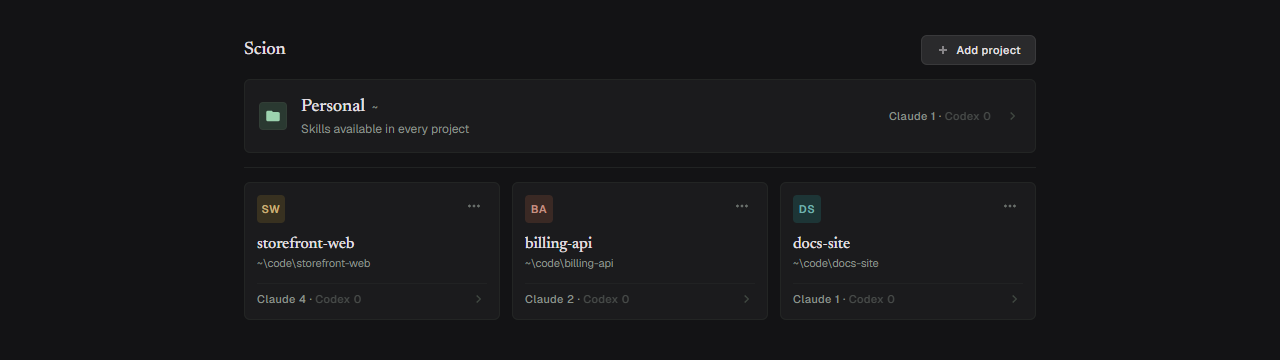
Scion's project grid: a pinned Personal card and three project cards Scion's project grid: a pinned Personal card and three project cards

Why Scion

Skills for Claude Code and Codex live next to your code, one set per project. Scion shows them project by project, and adapts a skill to another project's stack instead of just copying it.

Browse

Every project's skills, Claude Code and Codex side by side. Open a skill to read it, or the project's CLAUDE.md and AGENTS.md.
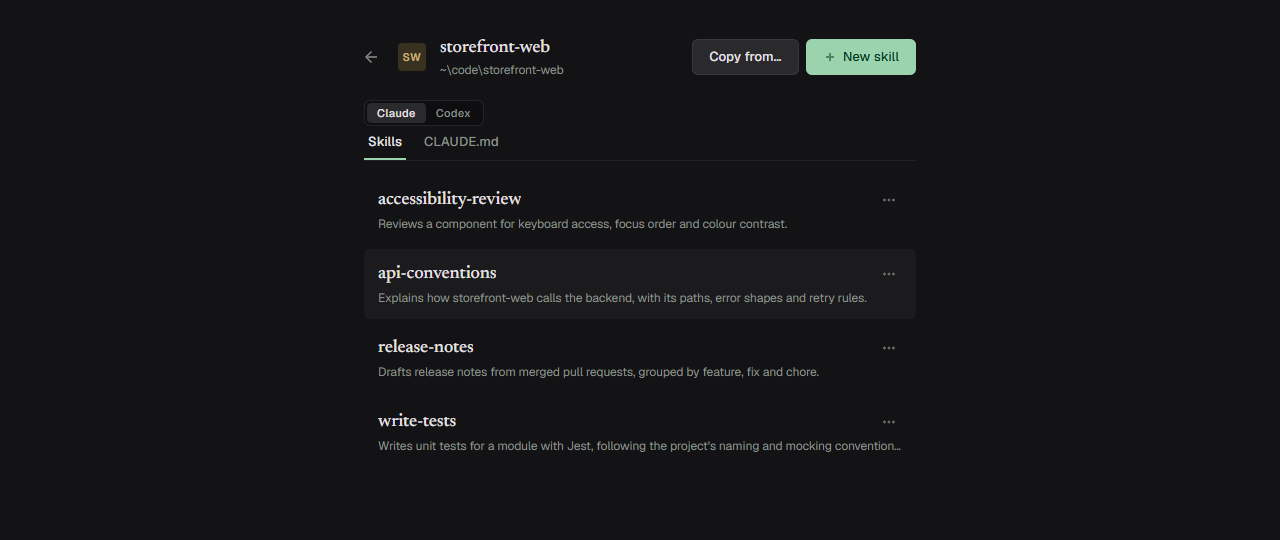
The Skills tab of a project: four skills, each with its description The Skills tab of a project: four skills, each with its description

Edit and create

Edit a SKILL.md or an instruction file in place, with live checks on the frontmatter. Every save keeps the previous version.
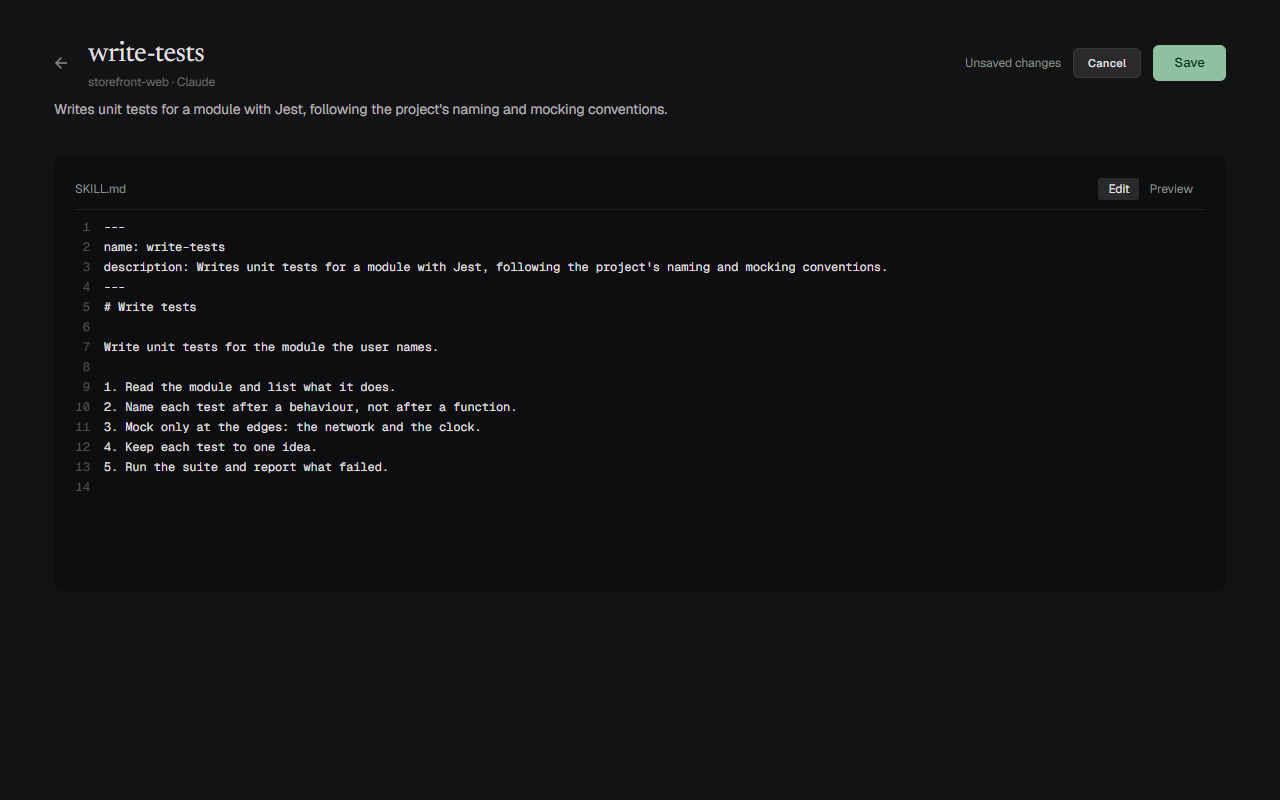
A SKILL.md open in the editor, with an Unsaved changes note and Cancel and Save buttons A SKILL.md open in the editor, with an Unsaved changes note and Cancel and Save buttons

Copy

Copy skills to another project or agent. If a skill with the same name is already there, you decide: skip or overwrite.
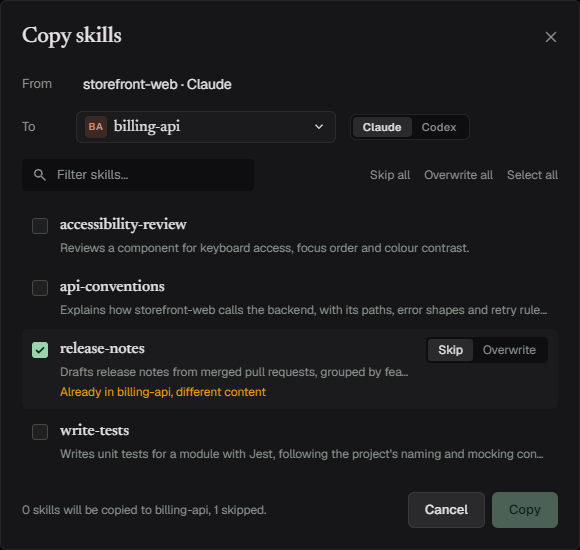
The copy dialog: release-notes already exists in the target with different content, with Skip and Overwrite to choose from The copy dialog: release-notes already exists in the target with different content, with Skip and Overwrite to choose from

Adapt with AI

Let Claude Code or Codex rewrite a skill for another project's stack. You review the changes side by side before anything is saved.
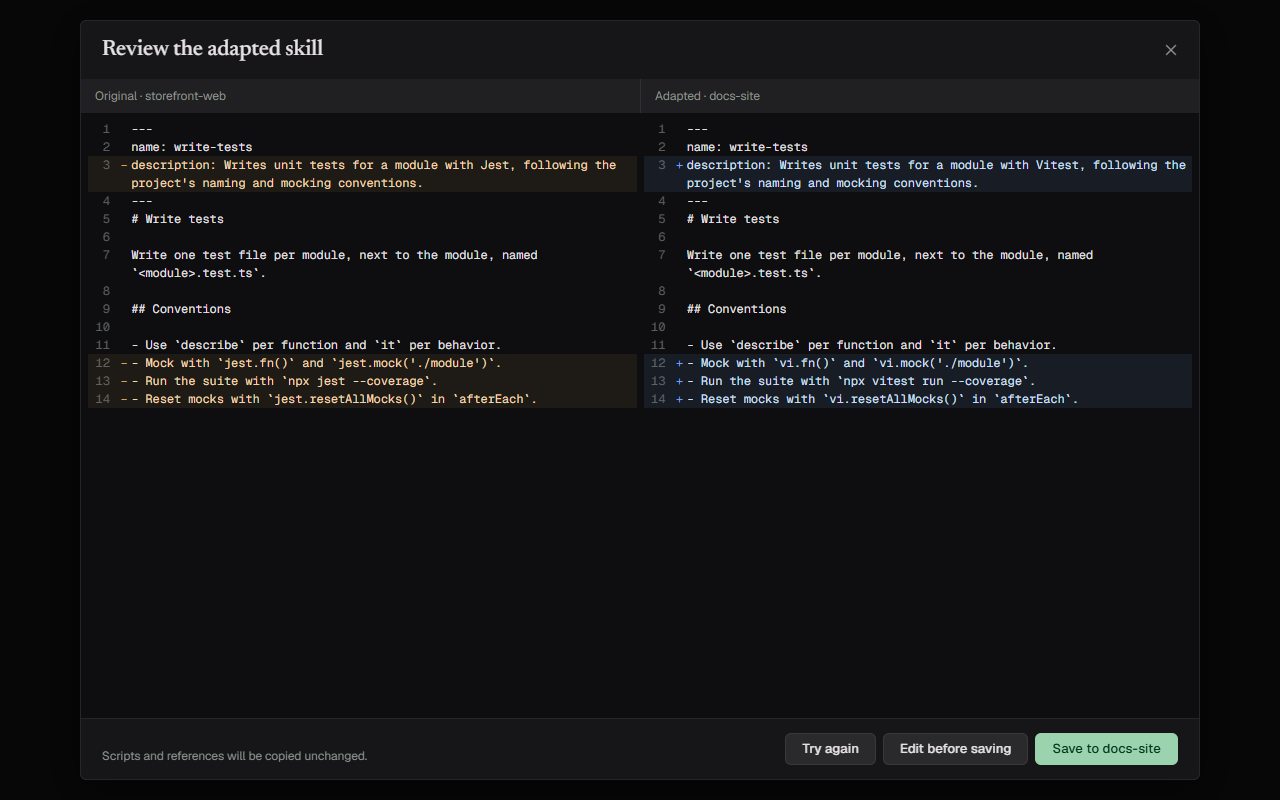
Side-by-side review of an adapted skill: a Jest skill adapted to a project that uses Vitest Side-by-side review of an adapted skill: a Jest skill adapted to a project that uses Vitest

Safe by default

  1. Scion never writes its own files into your repositories.
  2. Remove from Scion never deletes a folder.
  3. Delete moves a skill to Scion's trash.
  4. Nothing is overwritten without your decision.
  5. Every save keeps the previous version.

What Adapt with AI sends

  • The skill's SKILL.md
  • The target's instruction files (CLAUDE.md / AGENTS.md)
  • Project manifests (*.csproj, *.sln, *.slnx, package.json, pyproject.toml, go.mod, Cargo.toml, pom.xml, build.gradle)
  • Folder names two levels deep

Never a source file. You see exactly what will be sent before you press Adapt.